Revitalize Characters: Your Exclusive Online ASCII Art Studio
We are thrilled to announce that our website's new tools section has welcomed a powerful addition — the Online ASCII Art Generator. Whether you are a developer, designer, social media enthusiast, or simply a geek who loves expressing creativity through characters, this tool will serve as your inspiration assistant, transforming ordinary text into stunning visual art.
Core Feature Highlights
-
Dual-Mode Operation, Meeting Diverse Creative Needs
- Raster Mode: Similar to pixel art, it samples your images or text into characters of varying densities (such as
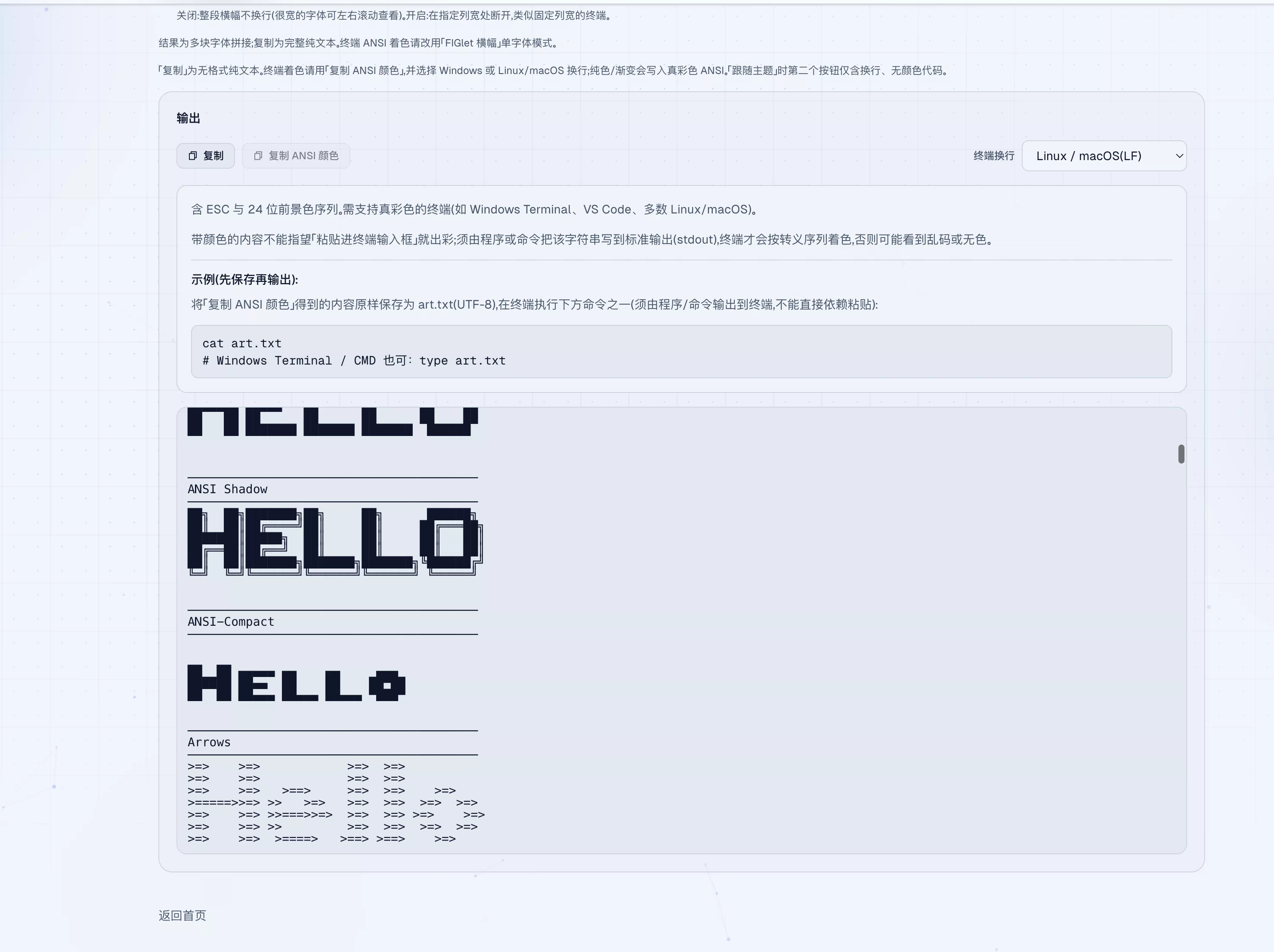
@#&%*, etc.) to generate detailed grayscale character art. This mode offers up to 35 preset styles. You can combine system fonts, density character sets, and adjust contrast and borders to create unique effects. Notably, it fully supports Unicode characters, including Chinese, allowing Hanzi to become part of the art. - FIGlet Mode: If you favor classic, eye-catching terminal banner fonts, this mode is for you. It adopts the same engine as the classic tool TAAG, quickly generating uniformly styled, highly recognizable ASCII lettering. It is the go-to choice for creating project logos and command-line tool welcome messages.
- Raster Mode: Similar to pixel art, it samples your images or text into characters of varying densities (such as
-
What You See Is What You Get, Intuitive and Flexible Operation The tool interface is clean and intuitive. You can adjust the generated width in real-time. If you find the output slightly blurry or hard to read, simply drag the slider to the right to increase the canvas width for clearer details. We have optimized the algorithm to ensure the best results across various fonts, performing exceptionally well when viewed in monospaced terminals supporting block characters.
-
Embrace Color: True Color ANSI Art Generation This isn't just about the black-and-white world! Our tool supports generating True Color (24-bit) ANSI escape sequences. You can create solid or gradient-colored character art to bring vibrant energy to monotonous terminals.
- Through the "Copy ANSI Color" button, the tool generates text containing complete color codes for you, thoughtfully distinguishing between Windows or Linux/macOS line ending formats.
- Important Note: To see the color effects, ensure your terminal (such as Windows Terminal, VS Code built-in terminal, or most Linux/macOS terminals) supports True Color, and you must output the content to standard output via a program or command (such as
cat,type), rather than simply pasting it into the terminal input box. We provide example commands to help you get started easily.
-
One-Click Copy, Worry-Free Sharing Generated ASCII art supports one-click copying. We offer two formats:
- "Copy": Obtain unformatted plain text, convenient for direct use in any text editor or webpage.
- "Copy ANSI Color": Obtain the full version with color codes for display in the terminal.
Usage Scenario Examples
- Terminal Personalization: Create unique login welcome messages, command-line tool titles.
- Code & Documentation: Add eye-catching separators or logos in code comments or README files to improve readability and professionalism.
- Social Media: Create a cool ASCII signature for your Twitter or GitHub profile.
- Creative Expression: Convert photos, quotes, or any patterns into character art, experiencing retro art in the digital age.
Why Choose Our Tool?
- Convenient Online: No software installation required; just open a browser to use.
- Comprehensive Features: From classic FIGlet to adjustable raster, from monochrome to true color, covering mainstream needs.
- Attention to Detail: Considered differences across different platforms (line endings) and terminals (color support), providing clear guidance.
- Completely Free: Yes, all of this is free, just to bring more creative fun to our users.
Experience Now, Draw Your Imagination with Characters!
Visit Tool Page: https://www.linkwordx.site/tools/ascii-art